> ## Documentation Index
> Fetch the complete documentation index at: https://docs.labelbox.com/llms.txt
> Use this file to discover all available pages before exploring further.
# Overview
> Collaboratively annotate data with the internal team, your own vendor, or Labelbox data labeling service.
Annotate is the data labeling platform within Labelbox. It allows your organization to label data with any human workforce at any scale.
 ## How Annotate works
When it comes to deciding how to label your data, you have the following options:
* Outsource this task to a labeling service — these external teams receive training on the specific labeling tasks required and quickly proceed to label large datasets (see [Workforce](/docs/labeling-services)).
* Import your model predictions as pre-labels to speed up the labeling process (see [Model-assisted labeling](/docs/model-assisted-labeling).
* Rely on your own internal team of labelers to label your dataset (see [Labeling editors](/docs/label-data)).
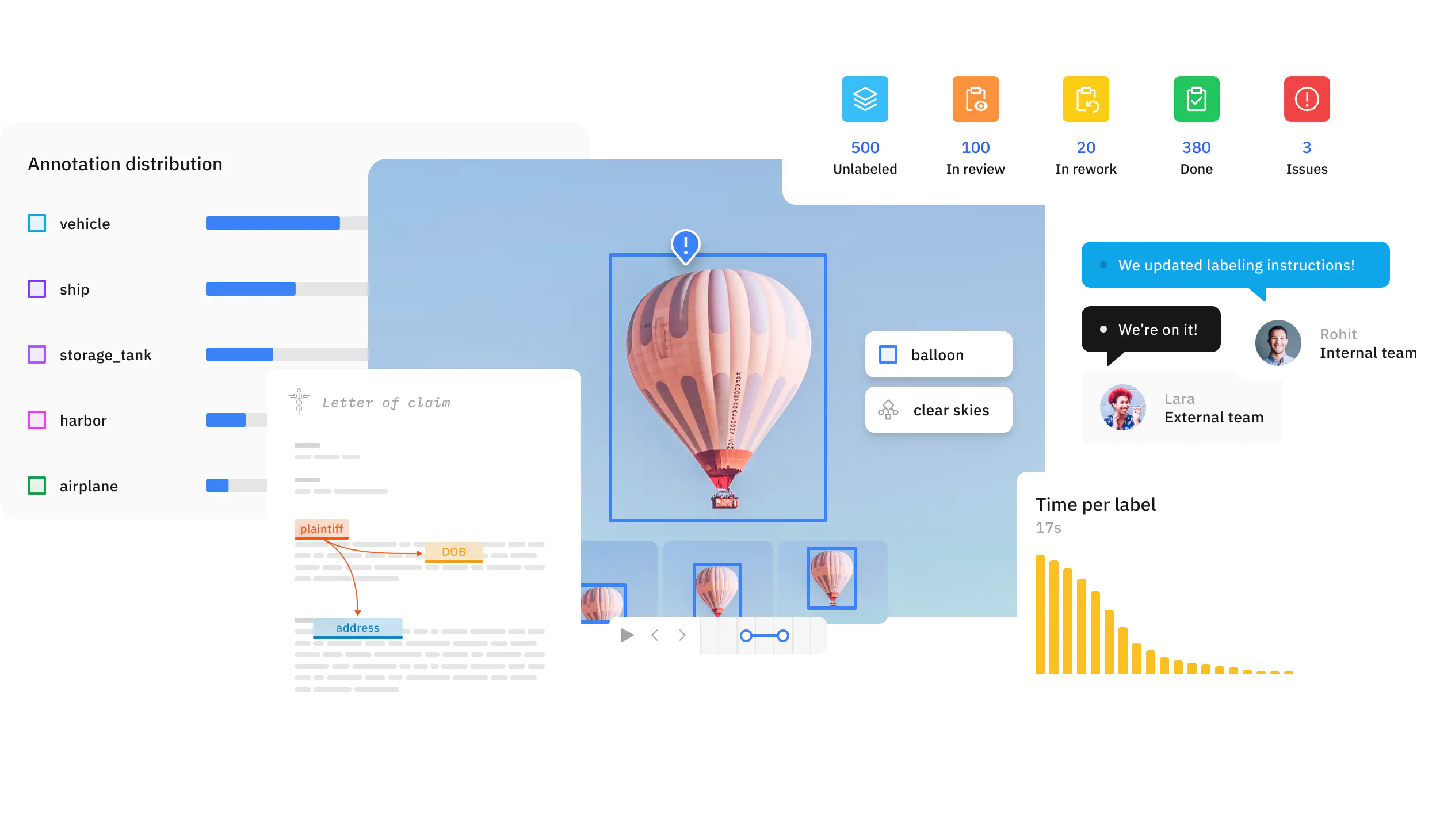
Regardless of your labeling method, Labelbox Annotate is a central place where you can manage all your labeling projects, customize your labeling & quality workflows, and monitor your labeling team's performance.
## Customizable labeling editor
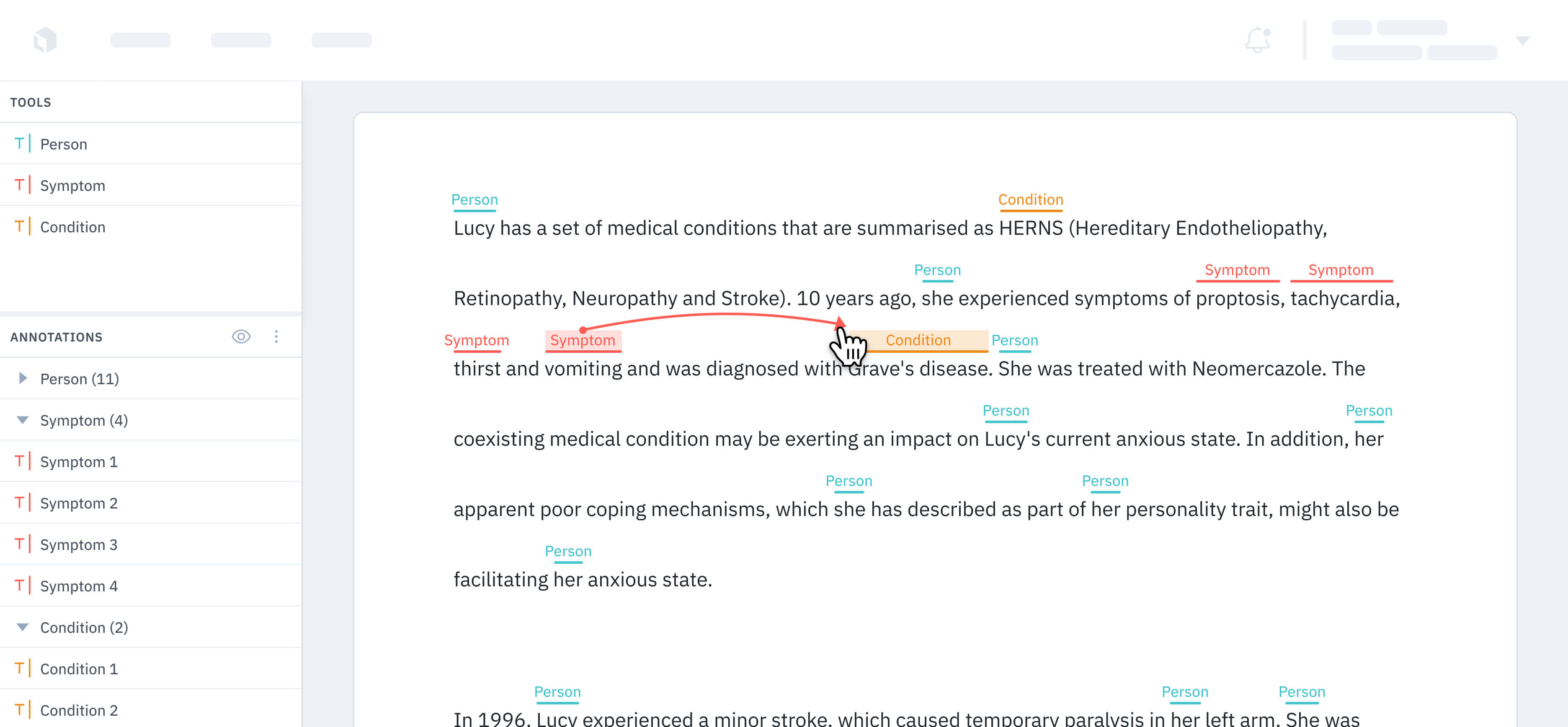
The editor is the labeling interface purposefully designed to be highly configurable. The editor is the primary tool for creating, viewing, and editing annotations. The labeling editor supports the following media types out of the box:
## How Annotate works
When it comes to deciding how to label your data, you have the following options:
* Outsource this task to a labeling service — these external teams receive training on the specific labeling tasks required and quickly proceed to label large datasets (see [Workforce](/docs/labeling-services)).
* Import your model predictions as pre-labels to speed up the labeling process (see [Model-assisted labeling](/docs/model-assisted-labeling).
* Rely on your own internal team of labelers to label your dataset (see [Labeling editors](/docs/label-data)).
Regardless of your labeling method, Labelbox Annotate is a central place where you can manage all your labeling projects, customize your labeling & quality workflows, and monitor your labeling team's performance.
## Customizable labeling editor
The editor is the labeling interface purposefully designed to be highly configurable. The editor is the primary tool for creating, viewing, and editing annotations. The labeling editor supports the following media types out of the box:
 ## Model Assisted Labeling with Foundry
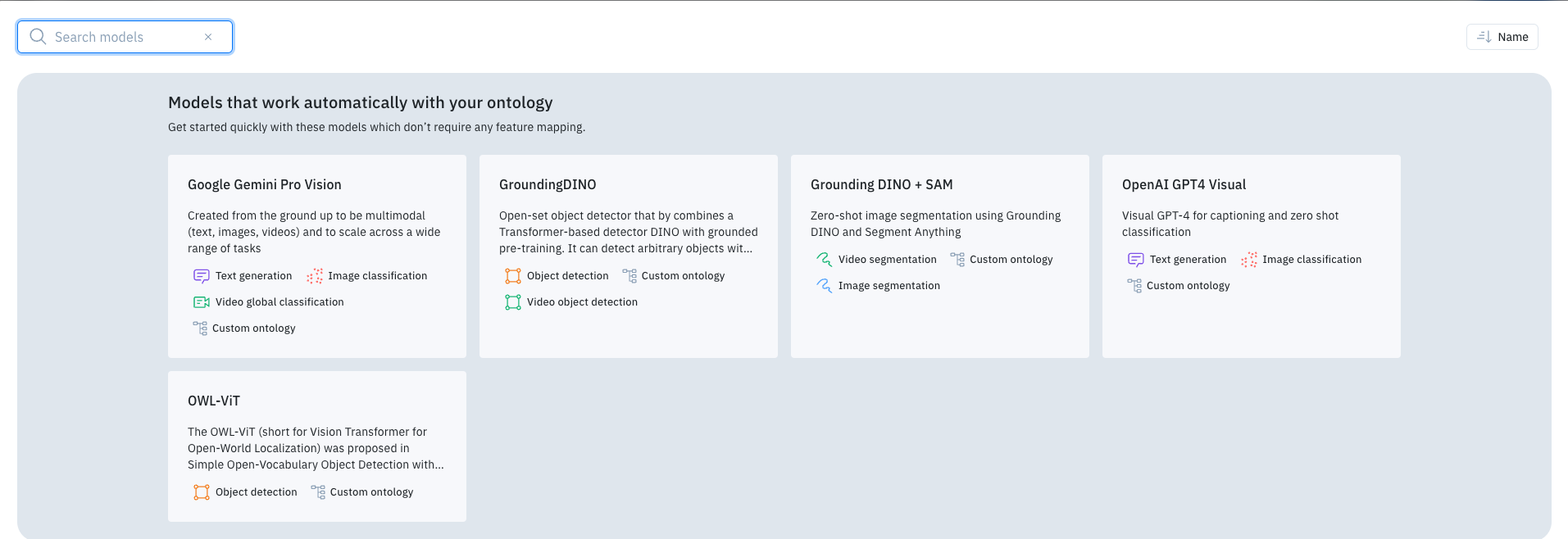
Users can use Foundry to add tools or classifications onto data rows as an auto-labeling feature. This is set up when a project has data to label and an editor with a set ontology. Once completed, users can enable the Model Assisted Labeling tool and configure an LLM to create annotations.
## Model Assisted Labeling with Foundry
Users can use Foundry to add tools or classifications onto data rows as an auto-labeling feature. This is set up when a project has data to label and an editor with a set ontology. Once completed, users can enable the Model Assisted Labeling tool and configure an LLM to create annotations.
 ## Customizable labeling & review settings
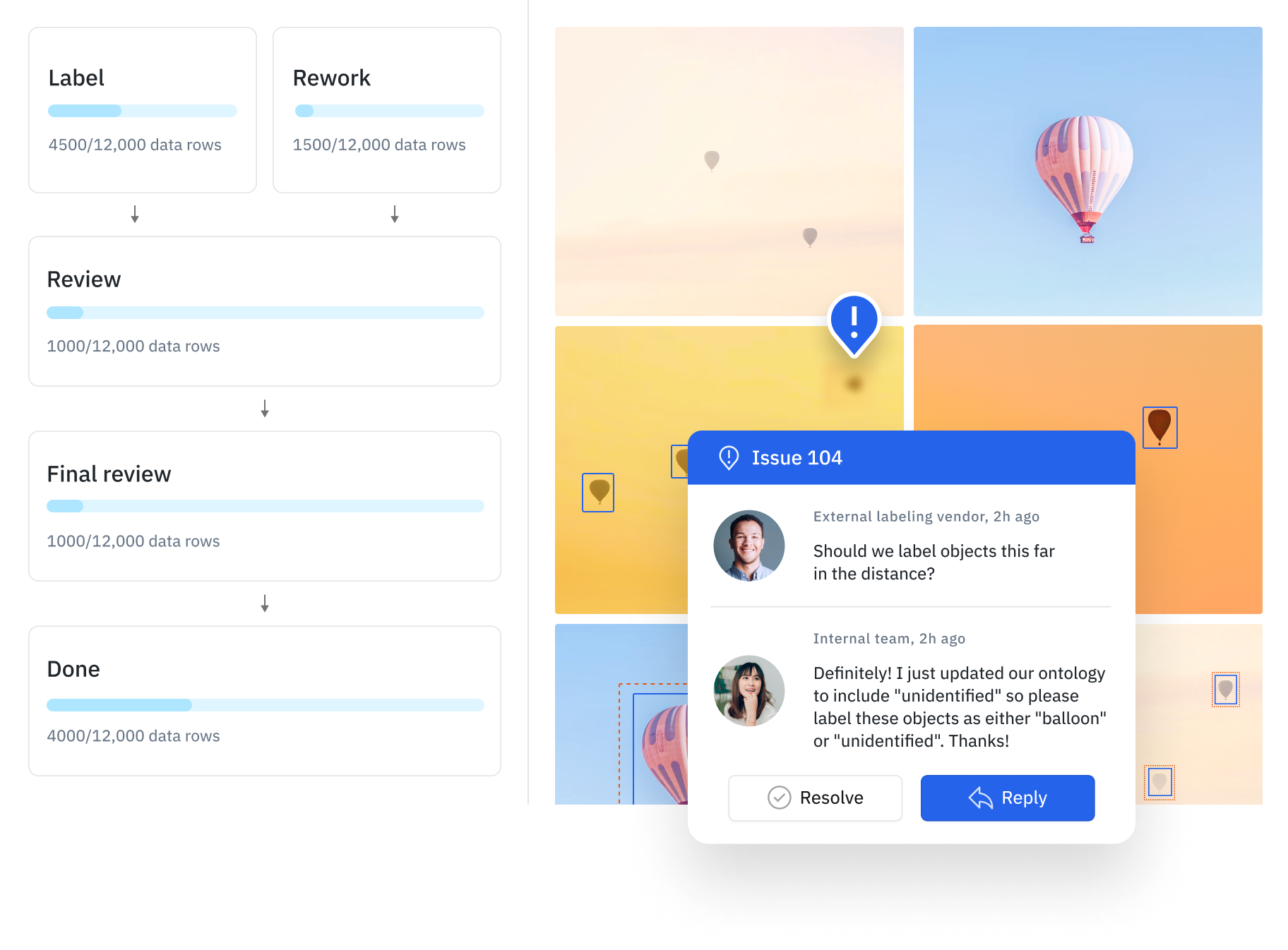
You can set up customized review steps based on your decided quality strategy in your project's [Workflow](/docs/workflows) tab. As you work with large, complex projects, having to review all labeled data rows becomes increasingly time-consuming and expensive.
## Customizable labeling & review settings
You can set up customized review steps based on your decided quality strategy in your project's [Workflow](/docs/workflows) tab. As you work with large, complex projects, having to review all labeled data rows becomes increasingly time-consuming and expensive.
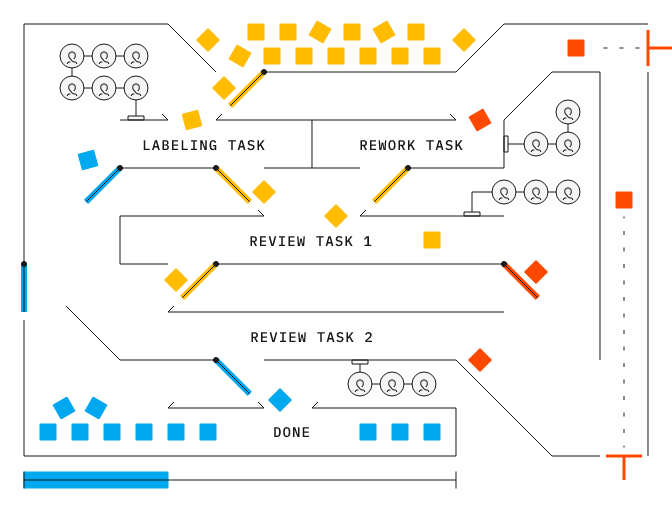 You can leverage workflows to create a highly-customizable, step-by-step review pipeline to drive efficiency and automation into your review process. To learn more, read [Workflows](/docs/workflows).
Additionally, you can leverage the following quality tools:
## Labeling workforce
Powered by Labelbox’s data engine, you can leverage Labelbox labeling services to collaborate with an external labeling workforce in real time and produce high-quality data while leveraging AI and automation techniques to keep human labeling costs at a minimum.
To learn more, see [Labeling services](/docs/labeling-services)
You can leverage workflows to create a highly-customizable, step-by-step review pipeline to drive efficiency and automation into your review process. To learn more, read [Workflows](/docs/workflows).
Additionally, you can leverage the following quality tools:
## Labeling workforce
Powered by Labelbox’s data engine, you can leverage Labelbox labeling services to collaborate with an external labeling workforce in real time and produce high-quality data while leveraging AI and automation techniques to keep human labeling costs at a minimum.
To learn more, see [Labeling services](/docs/labeling-services)
 ## Getting started with Annotate