> ## Documentation Index
> Fetch the complete documentation index at: https://docs.labelbox.com/llms.txt
> Use this file to discover all available pages before exploring further.
# View account usage
> Shows how to sign in to the Labelbox app to view your account, verify your current plan, and to manage your billing details.
**Usage tab is visible to organization administrators only**
If you don't see the Usage tab in your Workspace settings, verify with your account administrator that you have the appropriate permissions.
## Org usage overview
To view account details and verify your current plan:
1. Go to **Workplace settings → Usage**.
2. Your current plan is displayed in the **Org usage overview** section.
If your current plan name includes "(legacy)", your current plan has been retired. You'll need to select a new plan to renew or otherwise change your plan benefits. Note that legacy plan upgrades can't be rolled back; you cannot downgrade to a retired plan.
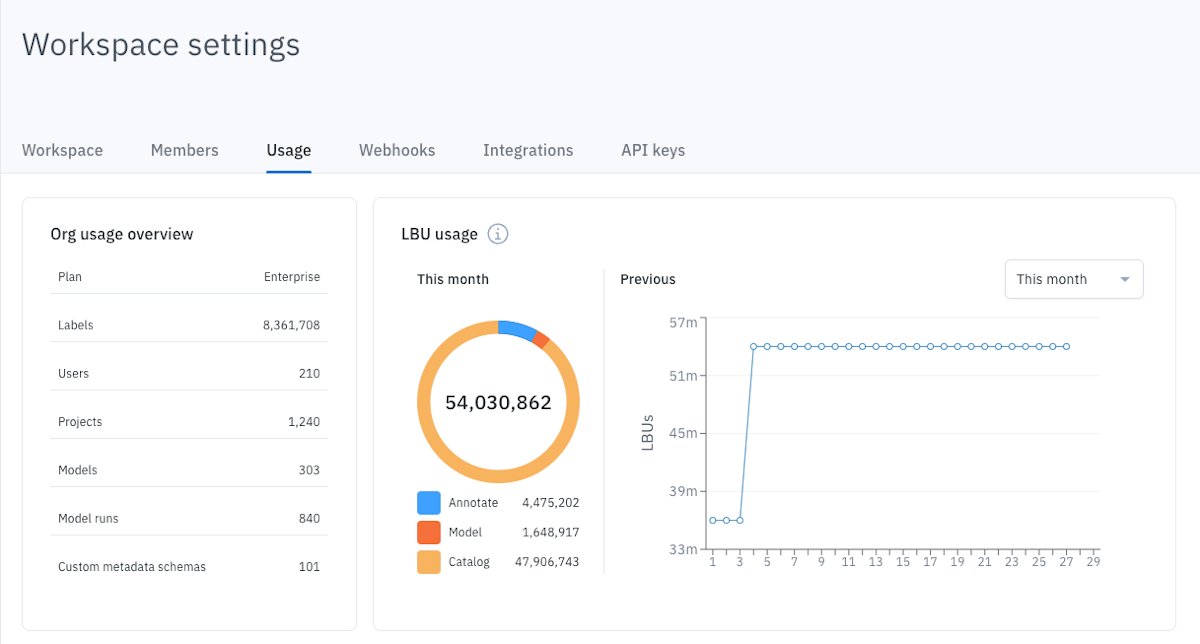 ## LBU usage
The LBU usage section displays the following information:
* **Line chart**: shows LBU usage over time. Hover over the last day of a given month to see monthly totals.
* **Pie chart**: shows a breakdown of total LBU usage, by Annotate, Model, and Catalog.
* **Date filters**: let you toggle between a monthly and multi-month view.
LBU consumption is updated each day at midnight (00:00) UTC. Activity performed today will appear after the next update. The Usage tab reflects consumption and activity as of the last update.
## Data row usage
The **Data row usage** section shows the LBU usage per product and data modality.
## LBU usage
The LBU usage section displays the following information:
* **Line chart**: shows LBU usage over time. Hover over the last day of a given month to see monthly totals.
* **Pie chart**: shows a breakdown of total LBU usage, by Annotate, Model, and Catalog.
* **Date filters**: let you toggle between a monthly and multi-month view.
LBU consumption is updated each day at midnight (00:00) UTC. Activity performed today will appear after the next update. The Usage tab reflects consumption and activity as of the last update.
## Data row usage
The **Data row usage** section shows the LBU usage per product and data modality.
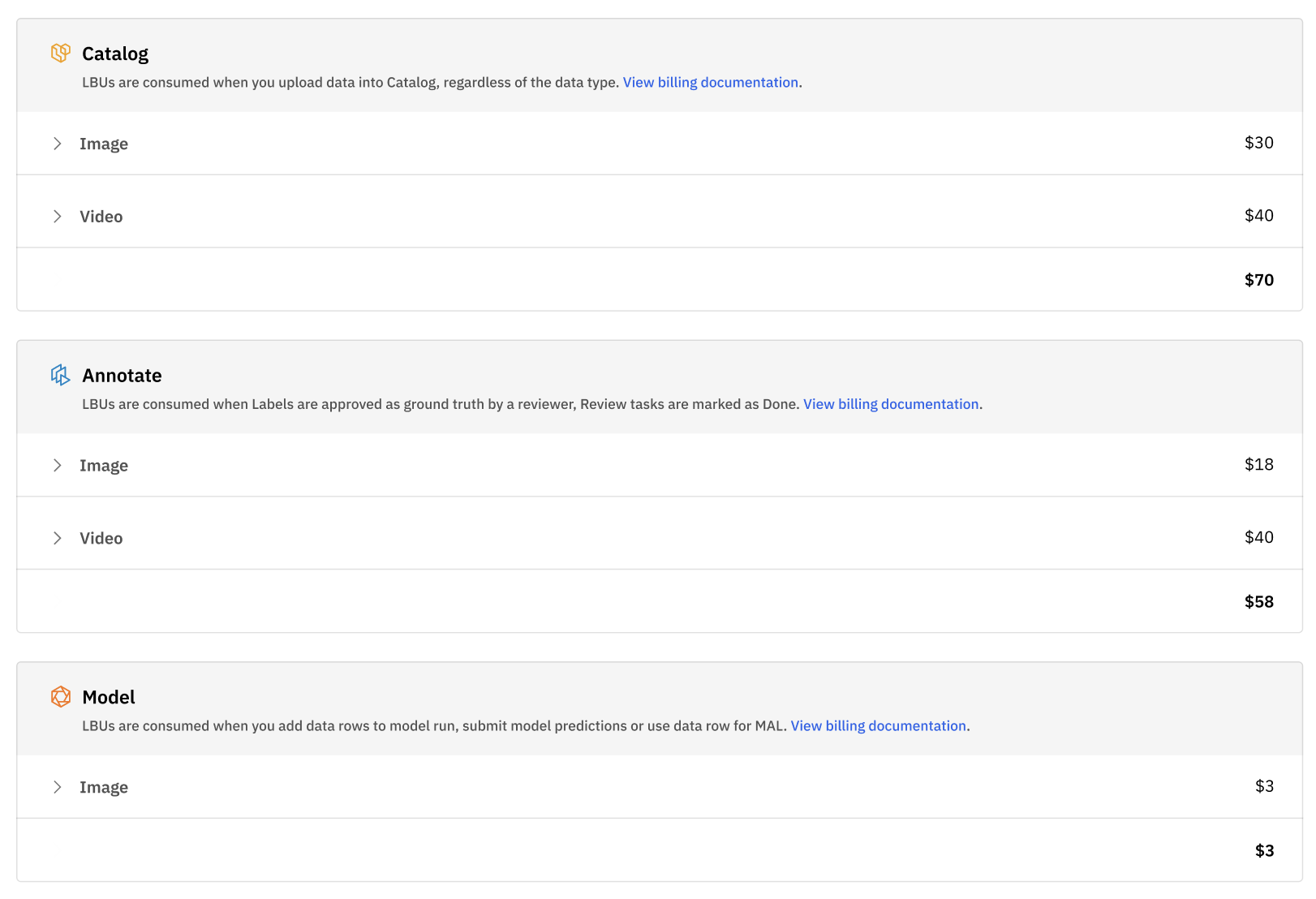 Clicking through each line item will give you a clear breakdown of your LBU consumption per data modality.
 ## Labeling service usage
The **Labeling service usage** section displays the usage and project billing rates for projects using [labeling services](/docs/labeling-services).
## Labeling service usage
The **Labeling service usage** section displays the usage and project billing rates for projects using [labeling services](/docs/labeling-services).